
Configuring PDH job settings
The Job Settings tab contains the settings controlling how print job files are processed and certain rules for accepting print jobs and purging them if they have been abandoned.
📘 Instructions
To configure job storage settings for a PDH:
Log in to the Configuration Manager.
Click Advanced > Components.
Click the Configure button adjacent to the Print Delivery Hub component. The PDH component configuration appears.
Click Job Settings.
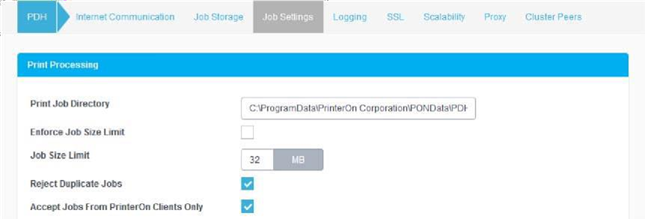
Configure the settings in the following panels:
Click Apply Settings.